Privacy
What Carline stores about students and families,and what it doesn’t.
This page is for the person who signs off on us. It describes how the system is built. The privacy policy is the legal text.
Stored and not stored
The whole list.
What we store
People and sign-in
- Each student’s first and last name, grade, classroom, usual way home and school, and their ID in the school’s student information system if the school syncs its roster
- Each parent’s name, email and phone, which children the school has linked to them, and how they’re related if the school notes it
- Each staff member’s name, school and role, and the permissions granted to them one at a time; for a school in a district, the district office’s people (name, email and role) and what the district may do at its schools
- The language a person picked in the app, so their emails come in it
- Sign-in details: a password and any reset link, each held only as a one-way hash, and for a Google, Microsoft or Apple sign-in linked to an account, that provider’s id for the person, their organization’s domain or tenant if the provider gives one, and when it was last used (never the provider’s tokens)
The afternoon
- Changes of plan, for one day, filed ahead or set to repeat (such as every Friday until June): the way home, the name of any other adult collecting, who asked, how, and a short note; for an early pickup its time; and for an early pickup or an absence a reason from a short list (appointment, family, illness or other)
- The record of each afternoon: check-ins, calls, holds and releases, with times and staff names, and why a child couldn’t come out
- For an ID check, a short note of the ID staff checked, such as its last four characters
- How each car joined the line (a sign scan, the typed sign code, the I’m here button or a hangtag; for the button, only whether the tap was on campus: yes, no or unknown) and, when staff look a family up by name, who looked and which families came back, never the name they typed
- The adults a family names to collect (name, relationship, an optional phone, which children and days, and until when), a login if the family invites them, and carpools: which children ride together, on which days
Custody, history and the calendar
- Custody orders the office records, and whether a document is on file (we don’t store the document)
- A history of the school’s setup: who linked or unlinked a parent and a child, issued or retired a hangtag, changed a sign, a setting, a classroom or a child’s room, or changed a member of staff’s role, permissions or sign-in, and when. It can’t be edited, and only the school’s admins can read it
- During a reunification or a drill: each child’s status (not yet seen, present, missing or released, or, seen only by admins and with no detail, hurt or with first responders) and the adult who collected each child, with a short note of the ID staff checked
- The school’s calendar (days off and early releases, with a short note in the office’s own words), the days a custody order gives a parent (which weekdays, and whether every week or every other week), late change requests with the office’s decision and its note, and the date a member of staff’s time-limited access ends
Notices, screens and messages
- For a parent who wants notices: the phone’s push token, a confirmed mobile number and when they agreed to texts, which notices they want, and a record that each was sent (never its text)
- For the school’s wall screens: each paired screen’s name and when it was last seen; a display name for a child whose family opted out of directory information, and whether to leave them off the curb display; and staff call-outs, a line of up to 80 characters kept with the afternoon’s record and never sent to a parent
- Messages between the school and families: what the school sent, to which families and whether each read it, the messages it set to go later and its saved templates, and each conversation a parent has with the office, with who replied and when. No attachments
If you also run a preschool or an after-school program
- Drop-off sign-ins: when each child was signed in, how, who brought them (a name staff typed in, if they entered one) and who recorded it, and any sign-in that was voided, with its reason
- Emergency contacts a family lists (or the office types from a paper form): a name, how they are related, one phone number, and in what order to call them. No address or email, nothing is ever sent to them, and they never collect a child
- With the Ratios & staff time add-on, which room each staff member or helper was marked in and when, each helper without a login’s name and role, and each room’s ratio. It names no child.
- Enrollment forms, where a center uses the add-on: a family’s answers to the center’s questions, and each policy they sign — the full name typed, when, and a fingerprint of the text. A birthdate or a physician only if the center asks, encrypted, with each look recorded. No home address, no health details and no uploads; the center may note that an immunization record was given, and when
- If the school uses staff clock-in: when each member of staff or helper clocked in and out and who recorded it, and any correction with its reason from a short list and a short note; if the school checks the site, only whether each tap was on site (yes, no or not confirmed), never the location. No pay, rate or wage
- With Ratios & staffing at an after-school program, who was on duty at each site and group and when, each group’s name, ratio and size, and which group a child in the program was in.
- An after-school program’s messages to its families: what it sent, to which families, how each was delivered and whether each family read it. No attachments.
- Where a school or an after-school program uses a kiosk tablet by the door: each tablet’s name and how many numbers it failed to find recently (over the last few minutes and the last day; never the digits typed — the tablet finds an adult by the phone number already on their account), and at an after-school site each “Drop off” or “I’m here to collect” a family asked, when, and for one asked in the app whether the phone was at the site (never where it was). The PIN hashes from before the tablet asked for a phone number have been erased; an old kiosk code, which opens nothing, is kept until it is erased with the family’s other records.
- For a program or a preschool’s tuition billed in the app: each child’s place (the rate group or program, the schedule, the days and the dates), each household’s paying parents and their shares, each paying parent’s invoices, payments, credits, refunds and disputes as Stripe reports them, whether autopay is on and its card’s or bank account’s last four digits, and late-pickup fees (how many minutes after close a child was collected, the fee, and why one was waived)
- Incident reports staff record: what happened, when and where, where on the body and the first aid given, each from a fixed list, how and when a guardian was told, the staff involved, and a short factual note, never a diagnosis. The student’s guardians read it and sign that they read it (the name typed and when); an adult kept from the child, or invited only to collect, sees none of it
- Documents a family sends about a student, once we turn documents on (they are off today): an immunization record, a physical or medical form, custody papers or another paper, kept exactly as sent under a random name, with what the family said it is, who sent it and when. No file name is kept. Only staff the school allows open one, through a link that works for a minute, and each opening is recorded; custody papers reach the school’s administrators only
- Field trips staff plan: the trip’s name, date, times, destination and details as staff typed them, the staff going, and which children are on its list. A family answers the permission slip yes or no, signed with the parent’s own full name, typed, and when (staff record a paper slip with the date written on it). The head count keeps when each child left on the trip and was counted back, and any missing or found mark, each with the staff member who marked it, and the counts as numbers
Stored and not stored
What we don’t store
-
Home addresses
-
Photos of children, adults or cars
-
Birthdates, demographics, medical notes or records, report-card grades, or discipline records beyond an incident report. A roster sync never reads the demographics file
-
License plates. We mount no camera. The only camera is the parent’s own phone reading the sign, and no image from it is kept or sent
-
Where a parent was. The I’m here check keeps only whether the phone was on campus: yes, no or unknown
-
Whole ID numbers
-
Card or bank numbers. A school that pays by card, and a family paying an after-school program, enter them on Stripe’s own pages. We keep only Stripe’s references and, for autopay, the last four digits. A school’s own payments send Stripe no student or family data; a family’s program payments send the paying parent’s name and email to the program’s own Stripe account, never a child’s name
-
Advertising identifiers, third-party analytics or trackers
What a stranger at the curb could read.
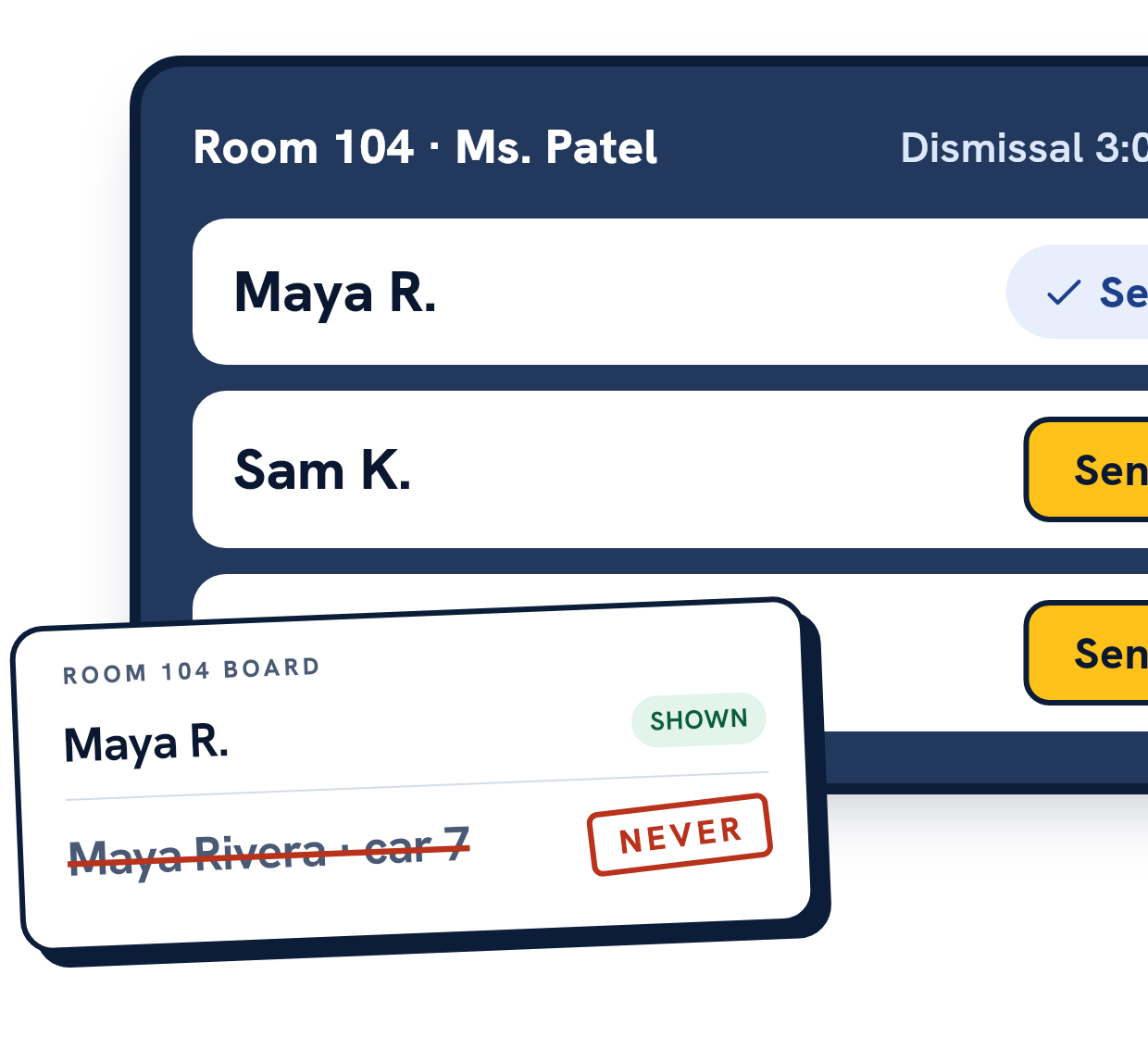
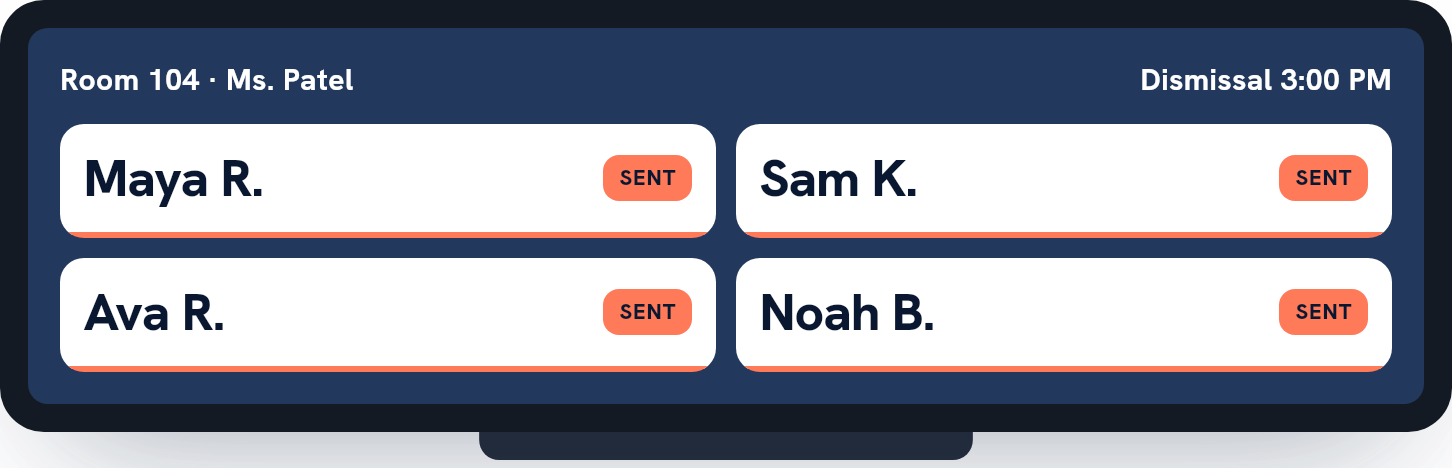
Curb screens and classroom boards show first name and last initial. A classroom board never shows a car number, a hangtag number, a place in line or anything else that would tie a child to a car.
Full names appear only on office screens, for staff with permission to see students.
How it’s built
Access, accounts and the record.
Access
Access is granted one permission at a time.
A school’s admins can do everything at that school. Other staff get named permissions, one at a time and, if the school wants, for a limited time: see students, edit students, see parents, invite parents, manage staff, run dismissal, clear custody holds, see custody orders, send messages to families, read and answer the parent inbox, work a reunification, work an after-school program desk, see private enrollment answers, manage the staff time record, see tuition places, invoices and payments, run tuition billing, credits and refunds, read incident reports, and record incident reports. Nobody can grant themselves anything.
Custody orders are visible to admins, and to staff the school gives the front-office duty (the “see custody orders” permission), who can read them but never change them. Anyone who is a party to a child, such as a parent the order names, sees no custody detail for that child and can’t act on it, even as an admin.
Parents see their own children, and other children only in two ways a family chooses: the families in a carpool see its other children by first name and last initial, and an adult a family invites to collect sees only the children named for them, and only today’s pickup. A parent’s app never sends a school ID. The school comes from the sign they scanned or from their own children, and the children from the links the school made.
Our access
Our staff can’t browse your students.
LexPro’s platform accounts manage schools. They can’t open student or parent records.
If we need to look for support, one of us needs a time-limited grant with a written reason. It gives read access only. There’s no button that hands one out; each is entered by hand and kept as a record.
Accounts
No open sign-up.
The school invites its parents and staff, and a district office can invite a school’s admins. A parent can invite an adult to collect their own children, and a district’s own people are added by us. A public sign-up creates a new school or after-school program and its first admin, and an after-school program’s registration link lets a family make its own account to register with that program; there’s no other registration page.
Passwords are at least 10 characters. Five wrong attempts lock the account for 15 minutes. Signing in with Google, Microsoft or Apple links only to the account the school invited.
When a school disables an account, the phone app stops working for that person on their next request.
The record
Append-only, in the database.
The pickup record and the custody-order history can’t be edited or deleted. A database trigger refuses the change. Corrections are new entries, so the original stays.
Every time a staff member opens or downloads a child’s or family’s record, it goes in the school’s access log.
Your data
It’s your school’s data.
An admin can download the school’s records at any time: its students, families, staff, pickup days, changes, custody orders and history. We erase it on your written instruction, and a nightly retention job also erases personal details on a fixed schedule, including: a removed student or family link, a lifted custody order or a deleted parent account after a year, a removed member of staff or helper (or a helper past their last day) after 90 days, the detail of each pickup day and each message after two years, and each entry of the staff time record after three years.
Hosting location, subprocessors and audit status
Hosted in the United States, on Google Cloud in us-central1 (Iowa): Cloud Run, Cloud SQL and Cloud Storage. Sub-processors: Google Cloud (hosting, the database and files; Firebase Cloud Messaging for push notifications when they are switched on), Brevo (email), Stripe (payments) and Twilio (texts, when they are switched on; off at launch). No third-party audit yet.
Send us your questionnaire.
If your district has a data-privacy agreement or a vendor security form, send it over and we’ll fill it in.