For parents
See when your kids areon their way out.
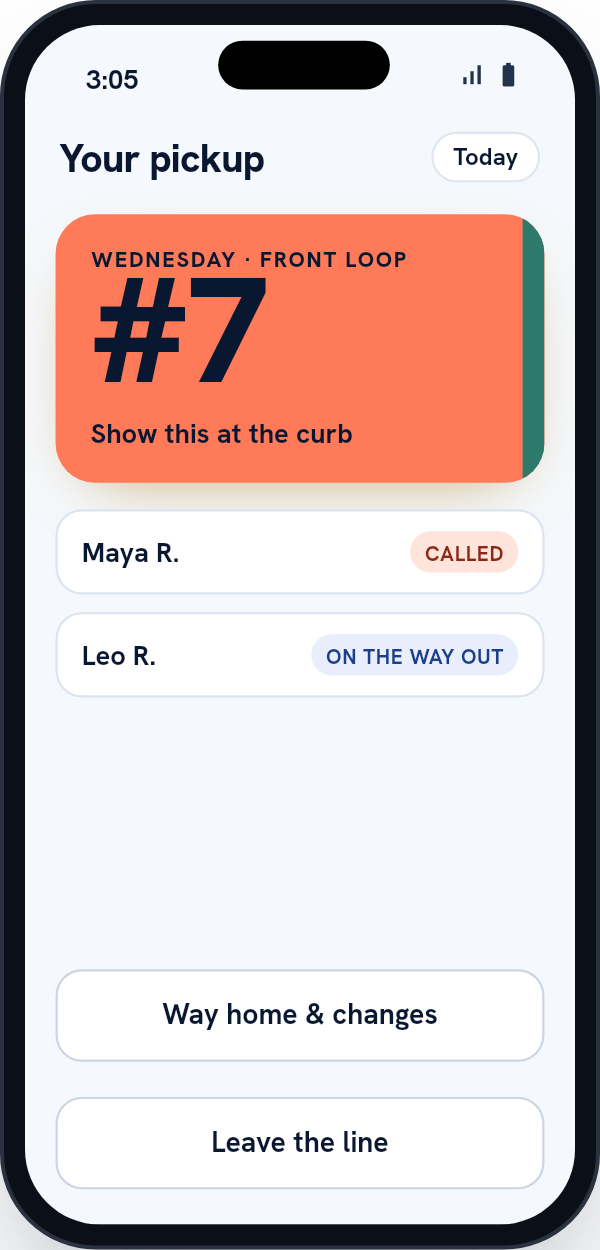
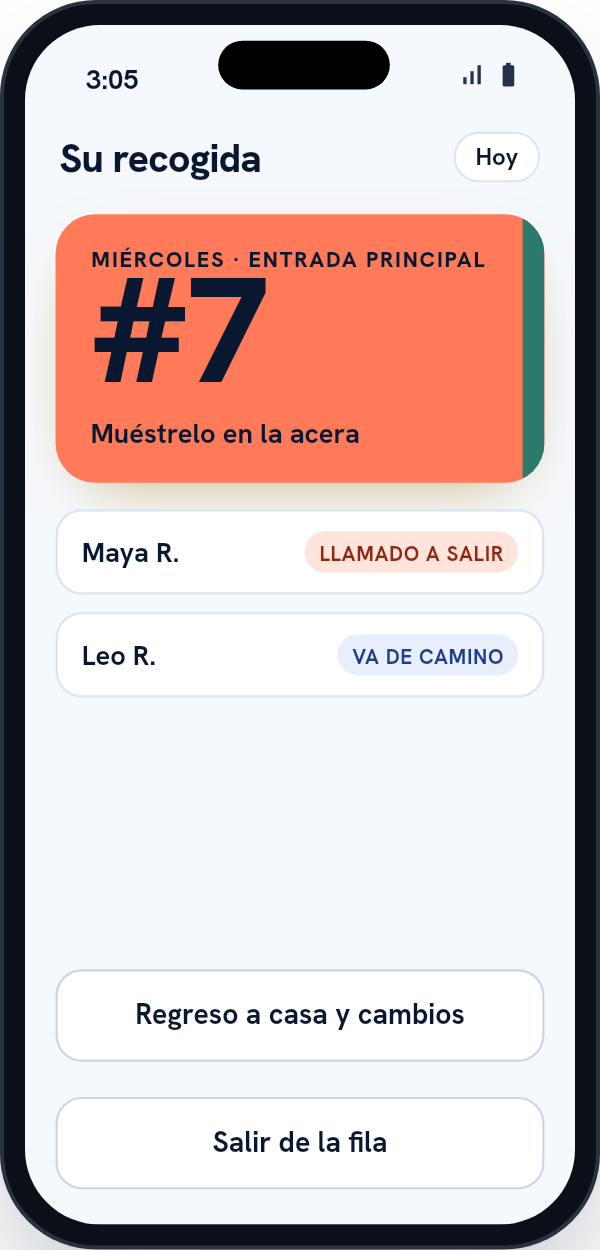
Scan the sign when you pull into the pickup line. You get a number, and you can watch each child go from Called to On the way out.
Your school sets up your account and links your children to it. Look for an invitation email from your school.


On Google Play now. Coming soon to the App Store.
At pickup
Scan once for all your kids.
-
Pull in and scan
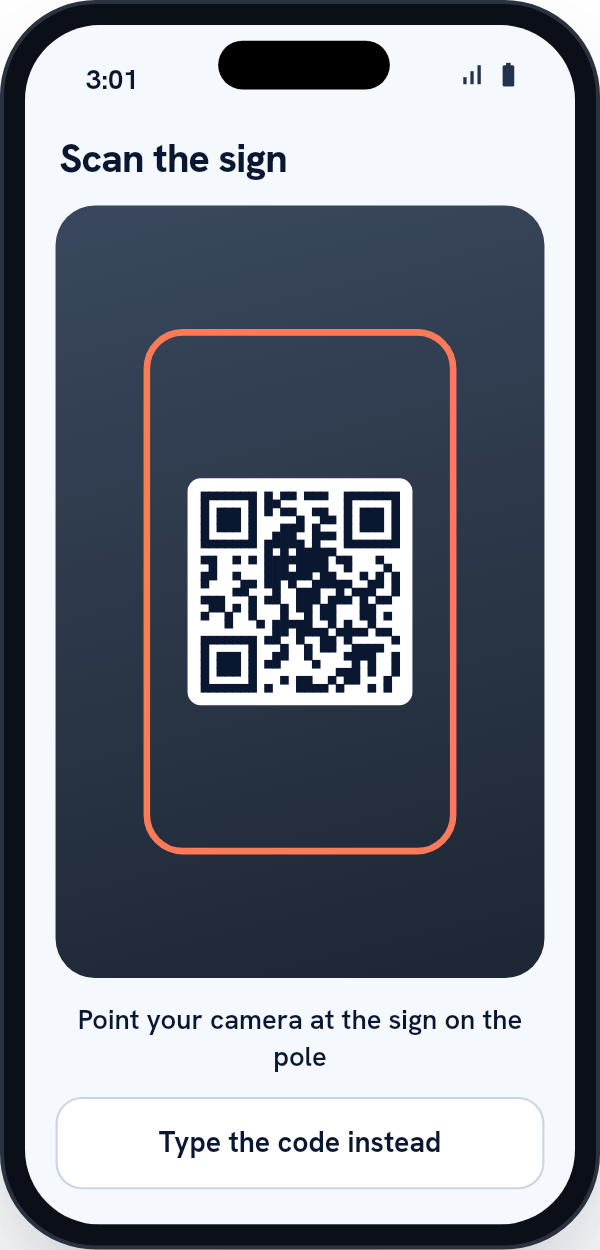
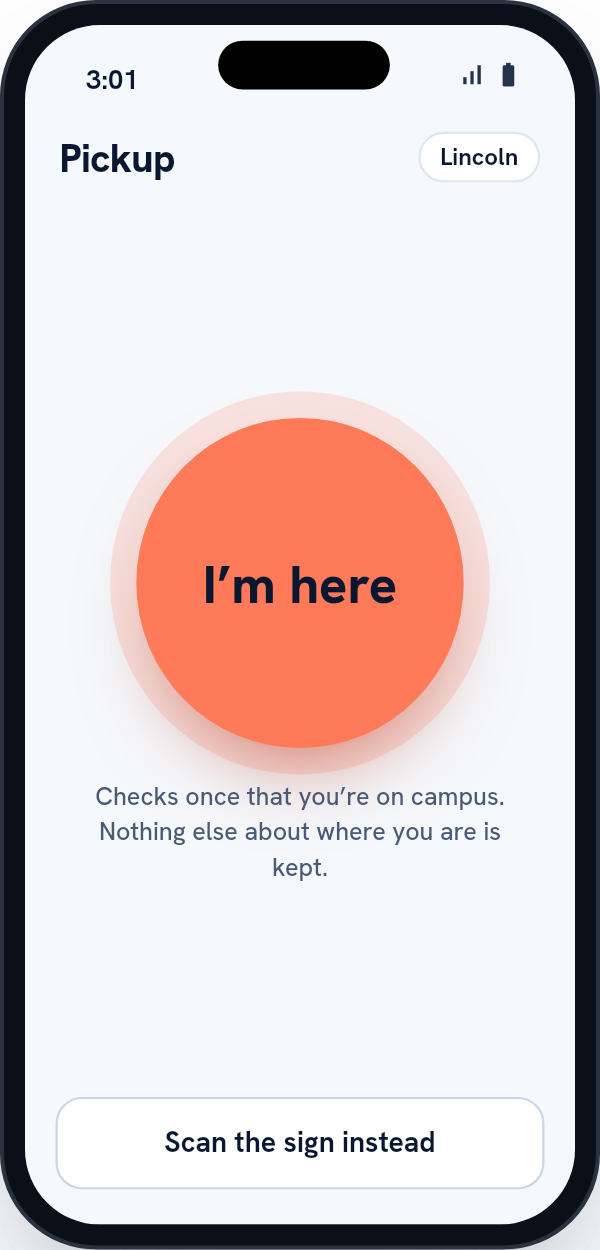
Scan the QR code on the sign at the pickup lane. If your school uses the I’m here button, tap that instead.
-
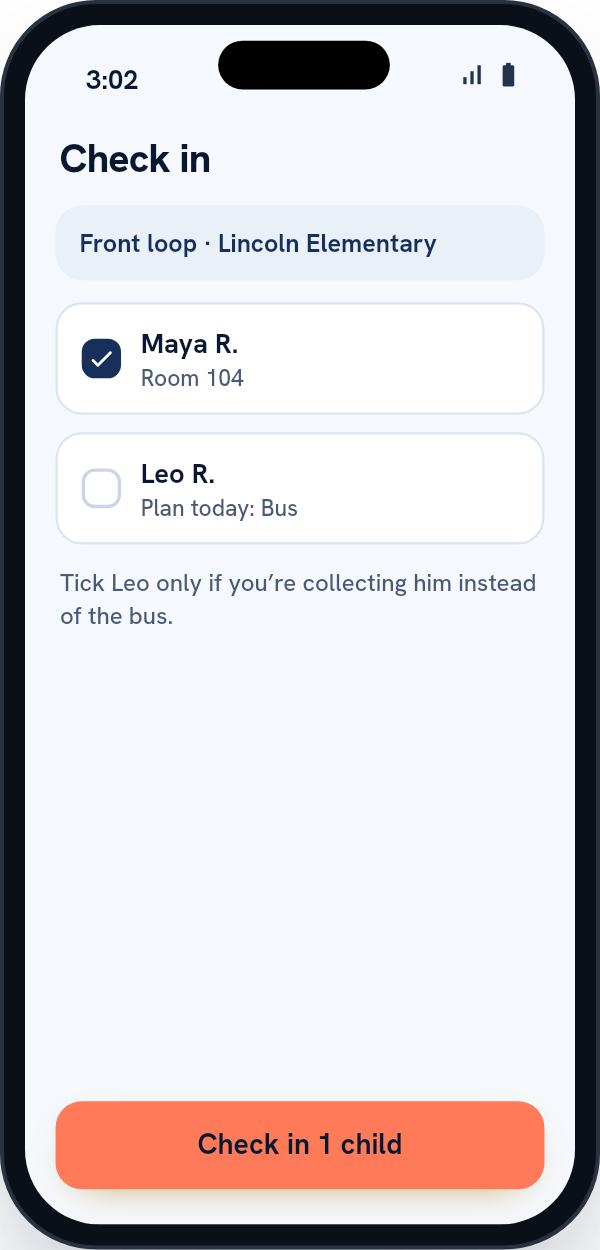
Check who you’re collecting
Your children on the car line today are ticked. Untick anyone you’re not taking today.
-
Get your number
Show the pass at the curb. Each child’s status updates on your phone as they’re called and sent out.
Two kids in two grades are one car and one place in line. Both classrooms see it at the same moment.
The app
The parent app
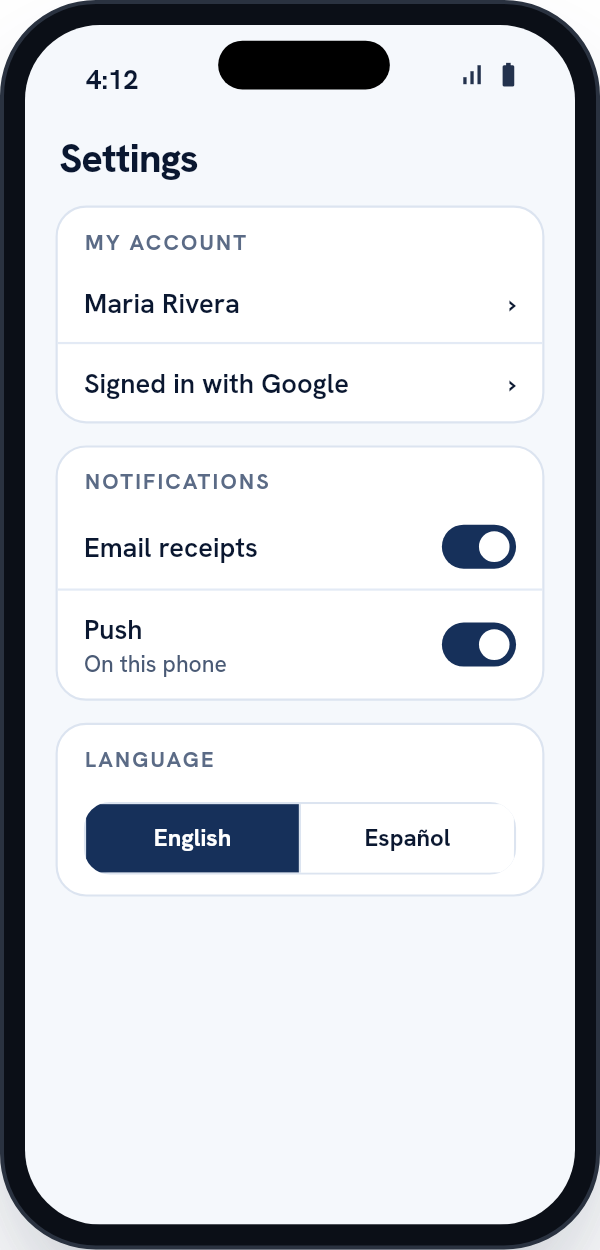
The pass, today’s plan and a short settings page. In English and Spanish.
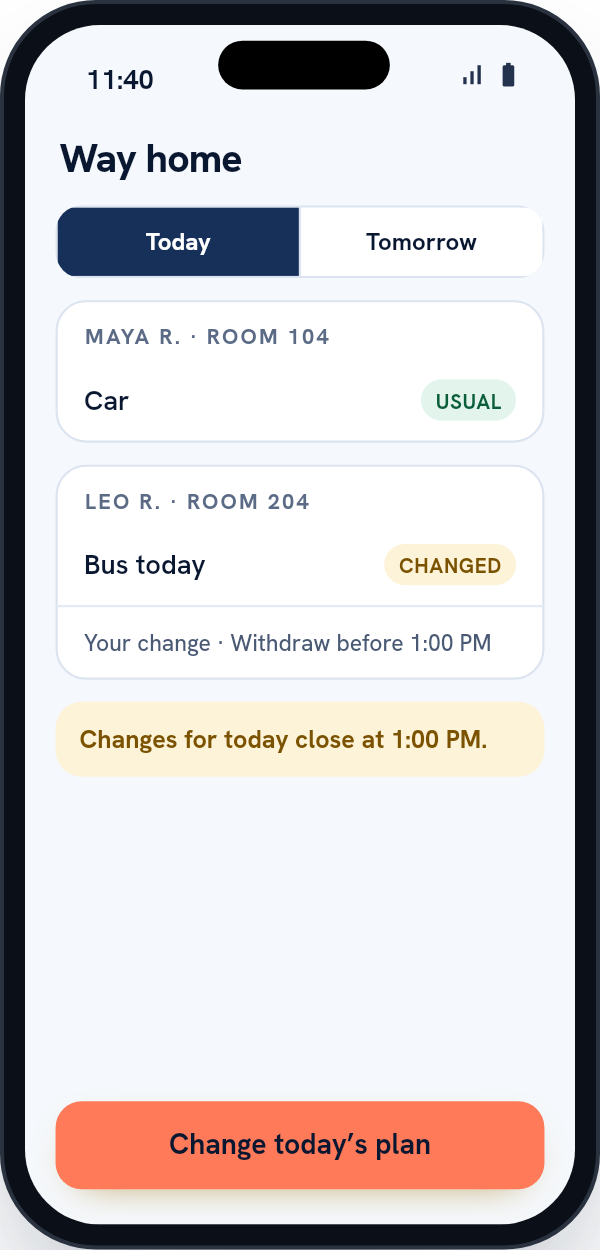
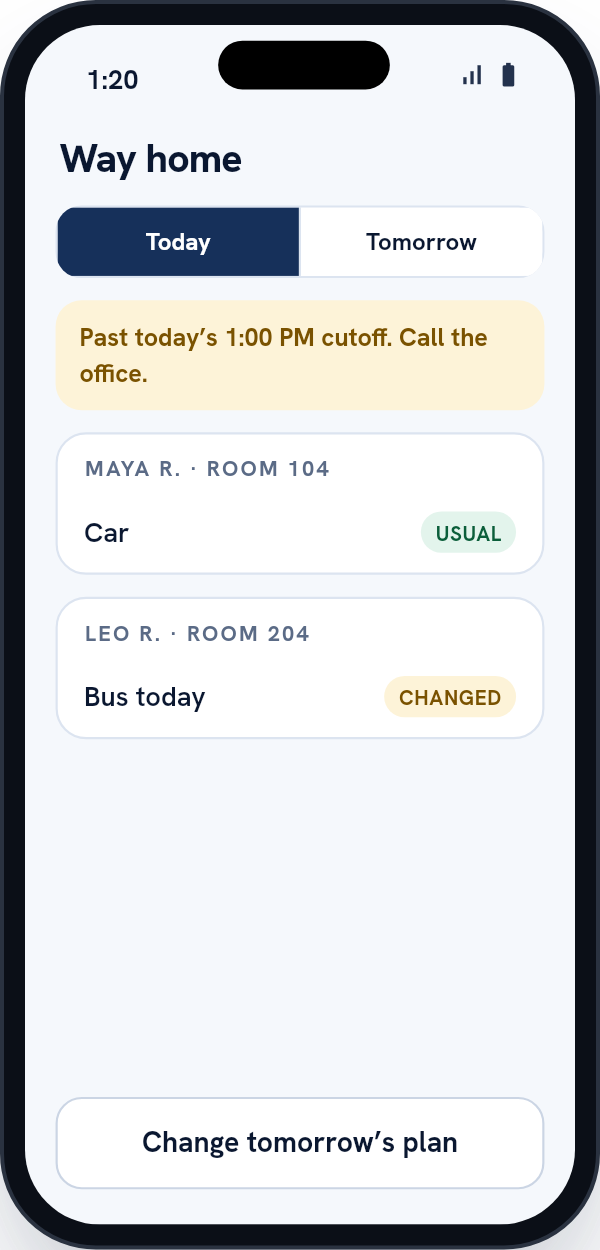
Bus today, or Grandma’s picking up.
-
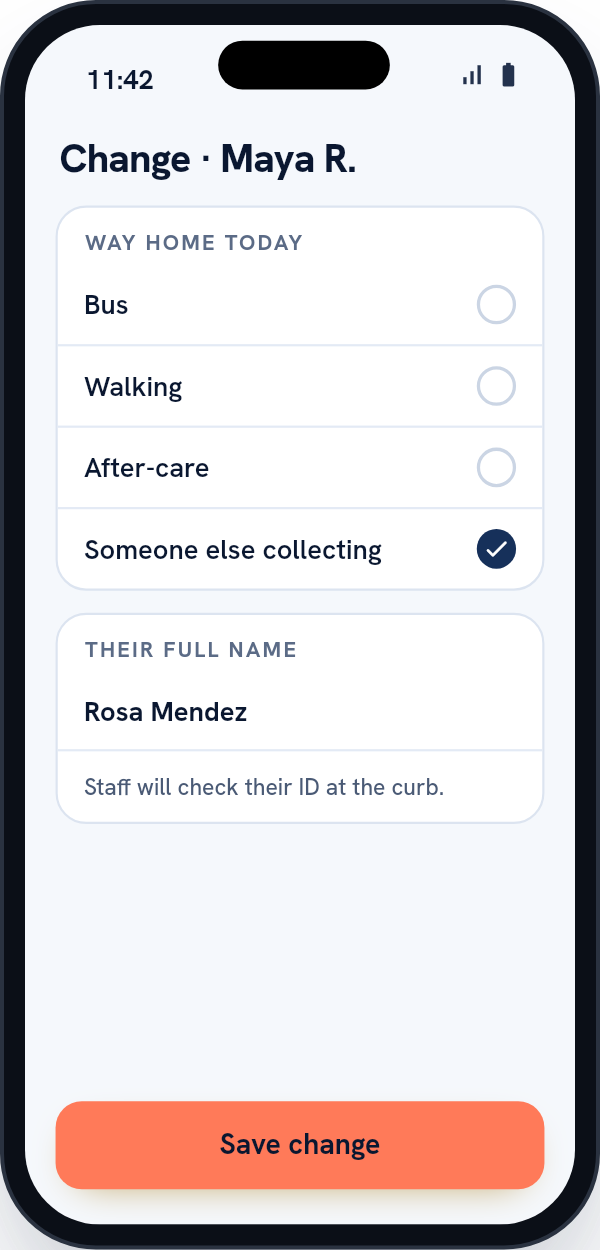
Open Way home & changes before your school’s cutoff and pick today or tomorrow. Choose bus, walking, after-care, or someone else collecting.
-
If someone else is collecting, type their full name. When they get to the curb, staff check their photo ID against that name before your kids go with them.
-
After the cutoff the app locks today’s plan and tells you the time it closed. Call the office.
After pickup
You’ll know they’ve been handed over.
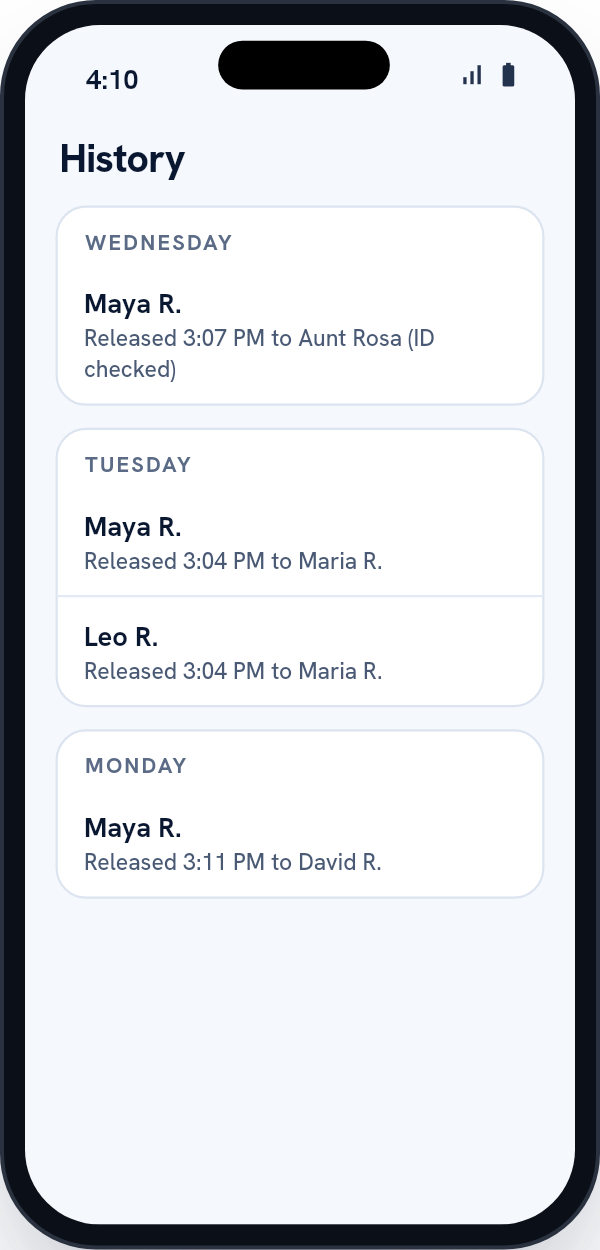
You get a notice in the app and by email when your child has been released. The app keeps the last week of pickups, like “Released 3:07 PM to Aunt Rosa (ID checked).”
Last week
ExampleWed
Maya R.
Released 3:07 PM to Aunt Rosa (ID checked)
Tue
Maya R.
Released 3:04 PM to Maria R.
Tue
Leo R.
Released 3:04 PM to Maria R.
Mon
Maya R.
Released 3:11 PM to David R.
No phone
A dead battery won’t keep you out of the line.
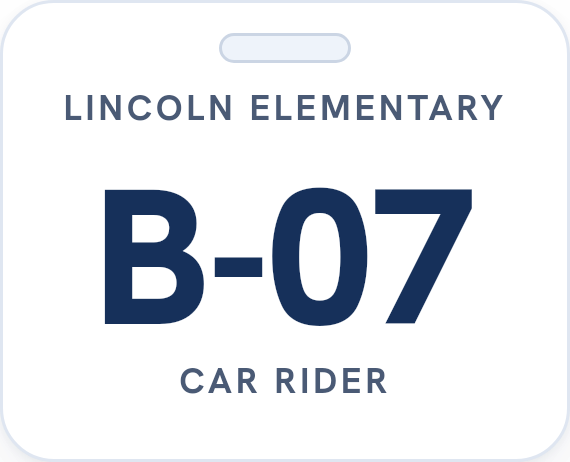
If your school gave you a hangtag, show it. A staff member types the number and your car joins the same line, in the order you arrived. Your school decides whether staff add cars this way; if it doesn’t, the office will help. Staff still hand your kids over at the door, the same as always.
Your details
What the school holds about your family.
Your name, email and phone. Your children’s names, grade, classroom and usual way home and, if your school uses them, emergency contacts. Which children are linked to you, any change you file, and the record of each afternoon’s pickup.
No photos, birthdates, license plates or home address.
Does it track where I am?
No. Scanning the sign doesn’t use your location. If your school uses the I’m here button, the app asks for your location once, when you tap. The school learns only whether you were on campus. Nothing runs in the background.
Languages
The app and its emails work in English and Spanish.
Questions
Parent questions
I have three kids in three grades. Do I scan three times?
Once. One scan calls every child the school has linked to you.
My partner and I both have the app. What if we both scan?
You’ll land on the same car. A child is only ever in one car at a time.
Can our babysitter or carpool driver use it?
Yes. Name them yourself in the app, for every day or for set days: the school approves them unless it has turned approval off, and once they are approved you can invite them to their own login. Staff check the ID of anyone without a login at the curb. For a one-off, name the adult in a same-day change before the cutoff.
Why does my child show as “Maya R.”?
The curb and classroom screens only ever show first name and last initial, because they’re read over people’s shoulders.
The app says to contact the office.
Please do. The office can see why, and we don’t show the reason in the app.
How do I sign up?
You don’t need to. Your school sends you an invitation email, and you set a password from the link.
Ask your school about Carline.
Your school links you to your children and sends you the invitation. If it doesn’t use Carline yet, send the office this page.